
OmniDoc
Belgelerinizi işlemek için yirmi bir araç. Hiçbiri telefonunuzdan çıkmıyor. Twenty-one tools for working with documents. Not one of them leaves your phone.
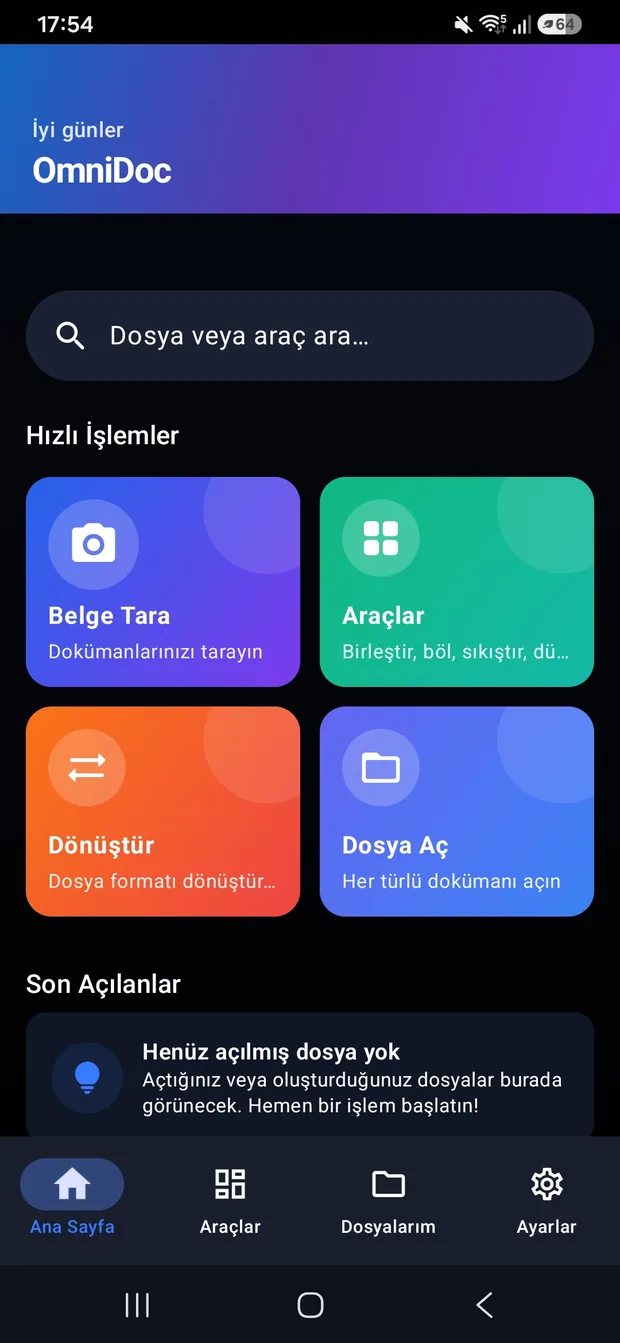
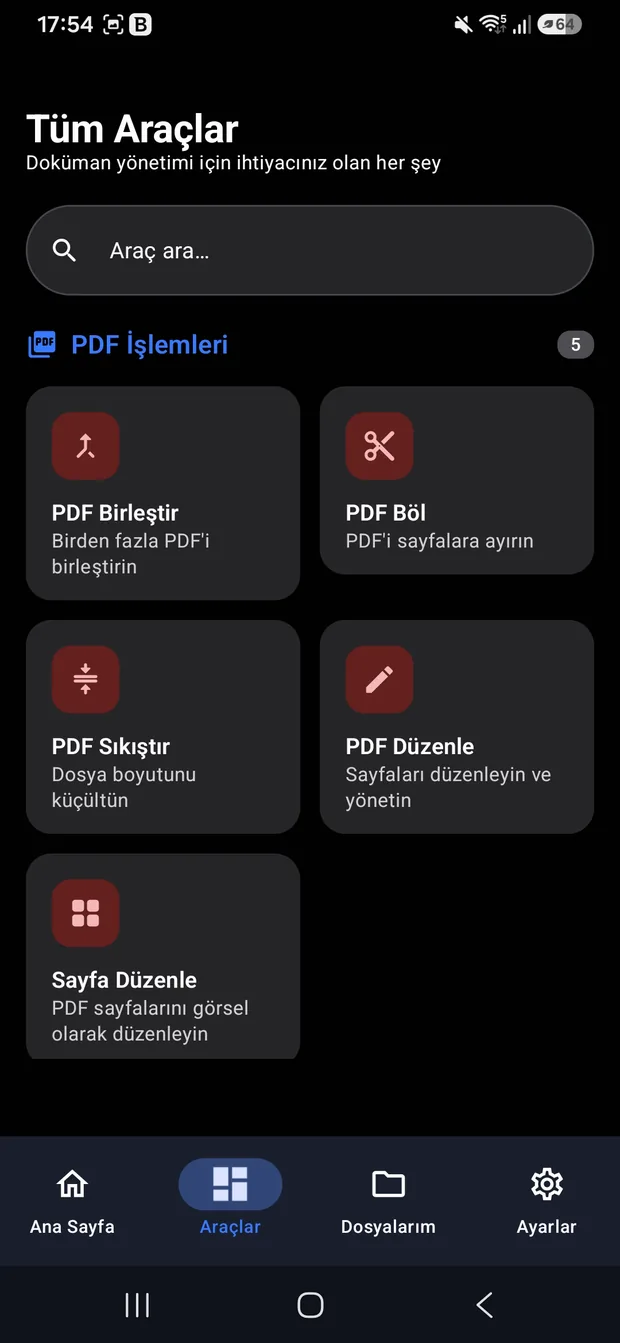
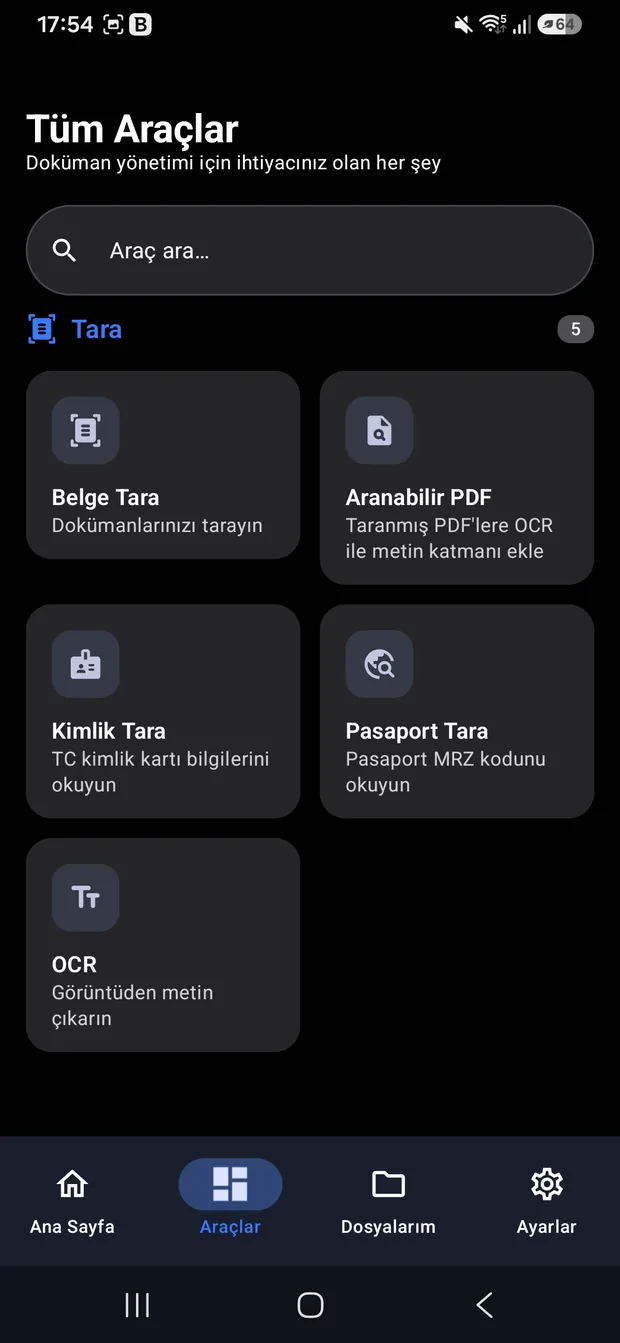
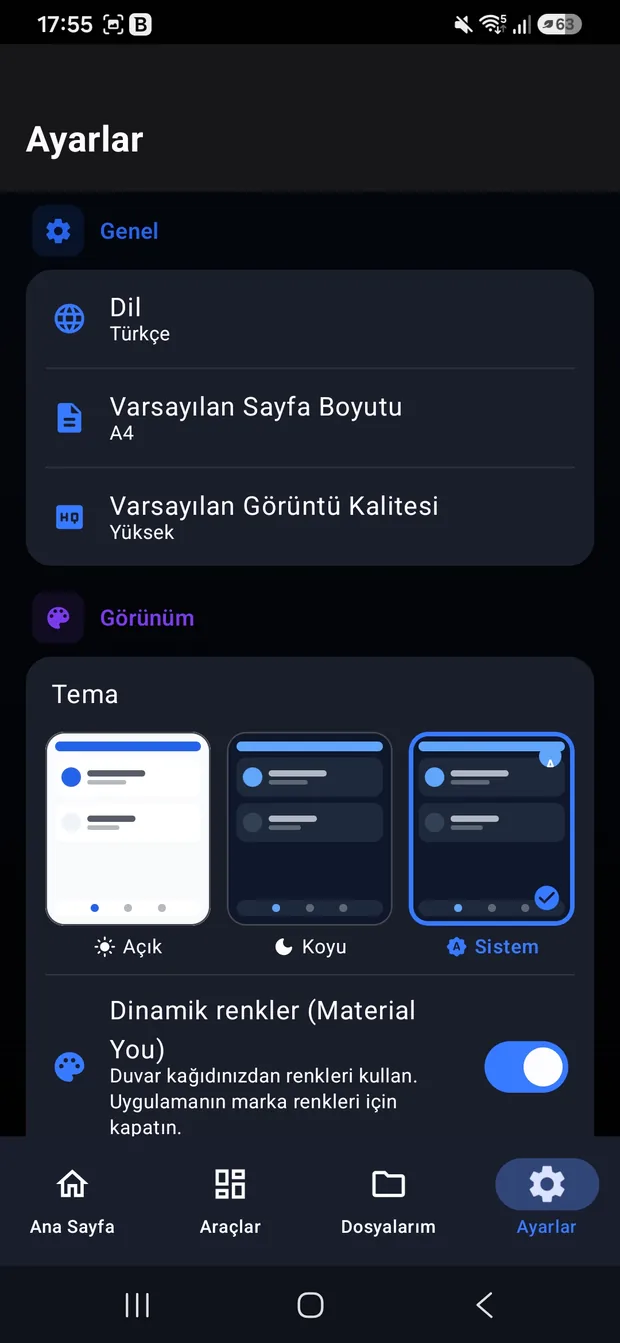
Tek bakıştaAt a glance
PDF birleştirmek için bir site, Word açmak için başka bir uygulama, imza atmak için üçüncüsü. Hepsi dosyanızı kendi sunucularına yüklüyor. One website to merge PDFs, another app to open Word files, a third to sign something. Every one of them uploads your file to its own servers.
OmniDoc bu işlerin hepsini tek uygulamada ve tamamen telefonun içinde yapıyor. İnternet bağlantısı, hesap ya da sunucu gerekmiyor. Uygulamada reklam, uygulama içi satın alma ve analitik kütüphanesi de yok — bağımlılık listesinde bunlardan tek bir tane bile bulunmuyor. OmniDoc does all of it in one app, entirely on the phone. No connection, no account, no server. There are no ads, no in-app purchases and no analytics libraries either — not one of them appears in the dependency list.
Dokuz formatNine formats
PDF, Word, Excel, PowerPoint, TXT, CSV, RTF, Markdown ve EPUB. PDF, Word, Excel, PowerPoint, TXT, CSV, RTF, Markdown and EPUB.
Yirmi bir araçTwenty-one tools
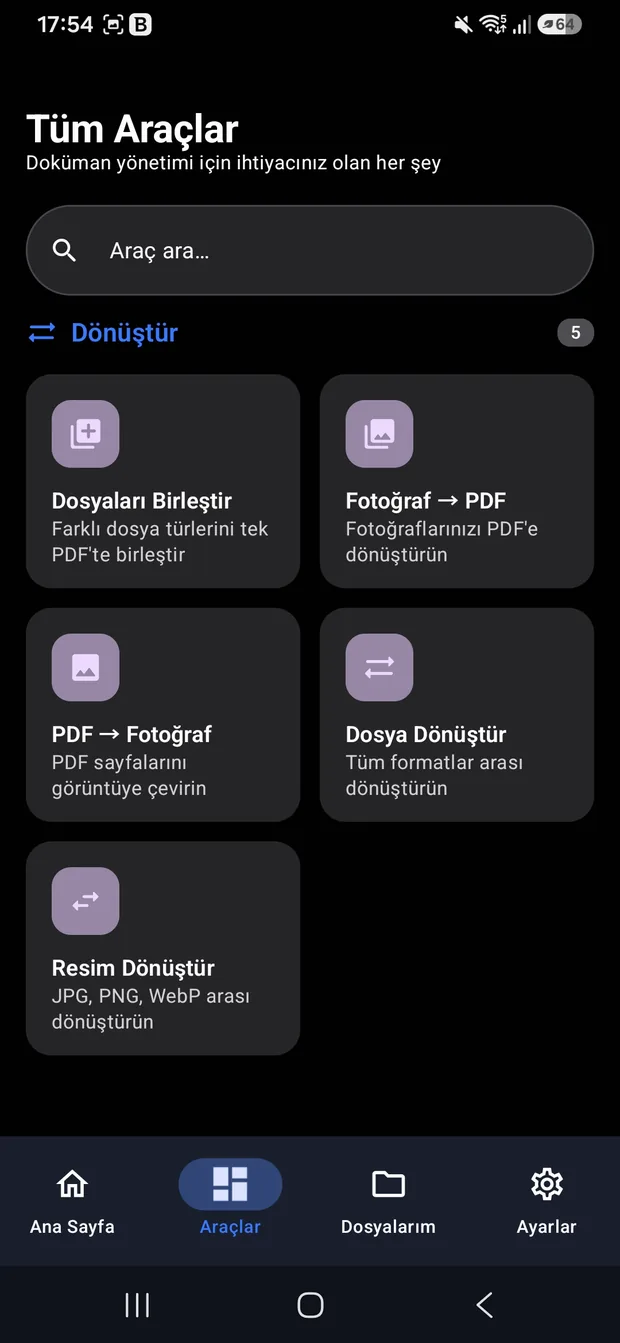
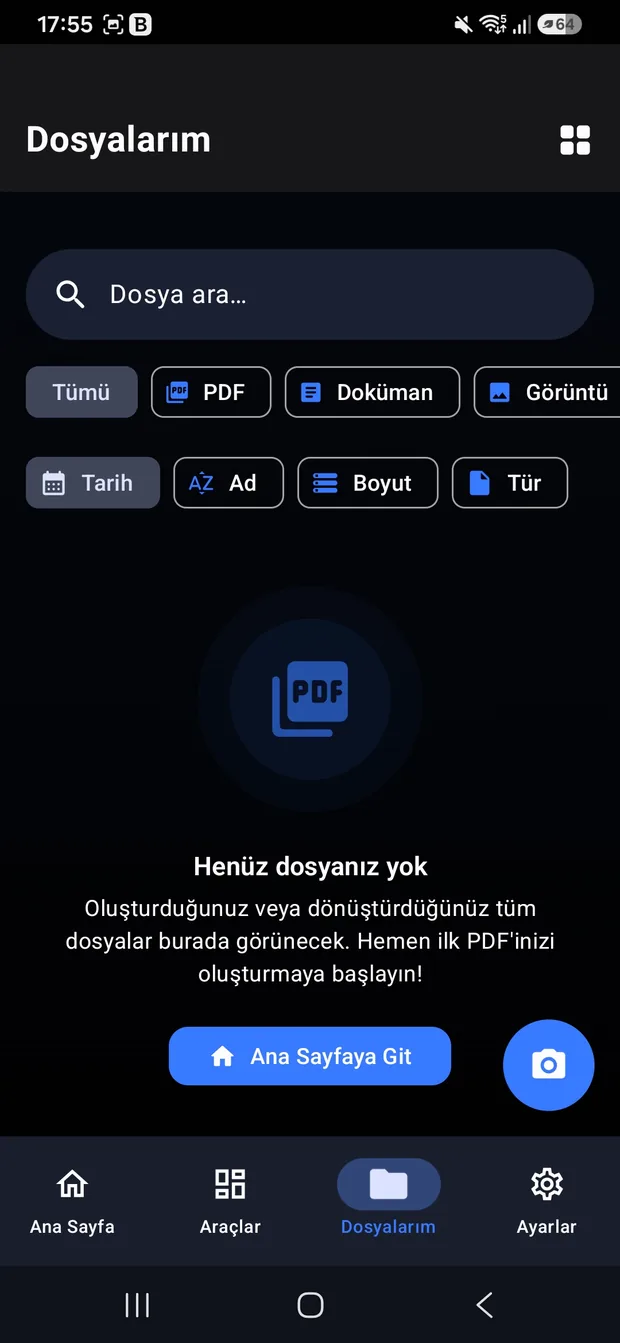
Birleştirmeden imzaya, taramadan OCR'a altı kategori. Six categories, from merging to signing, scanning to OCR.
Cihazda kalırIt stays put
İşlem bittiğinde dosya hâlâ sadece sizin telefonunuzda. When the job is done, the file is still only on your phone.
Yirmi bir araç, altı kategoriTwenty-one tools, six categories
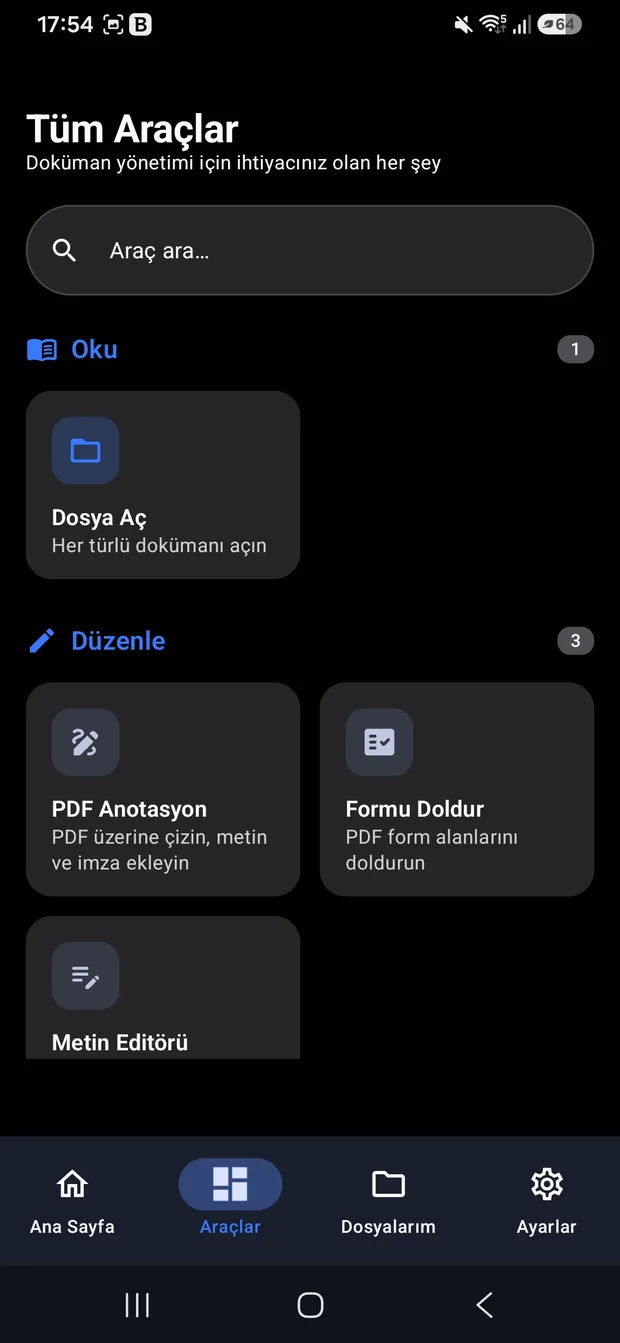
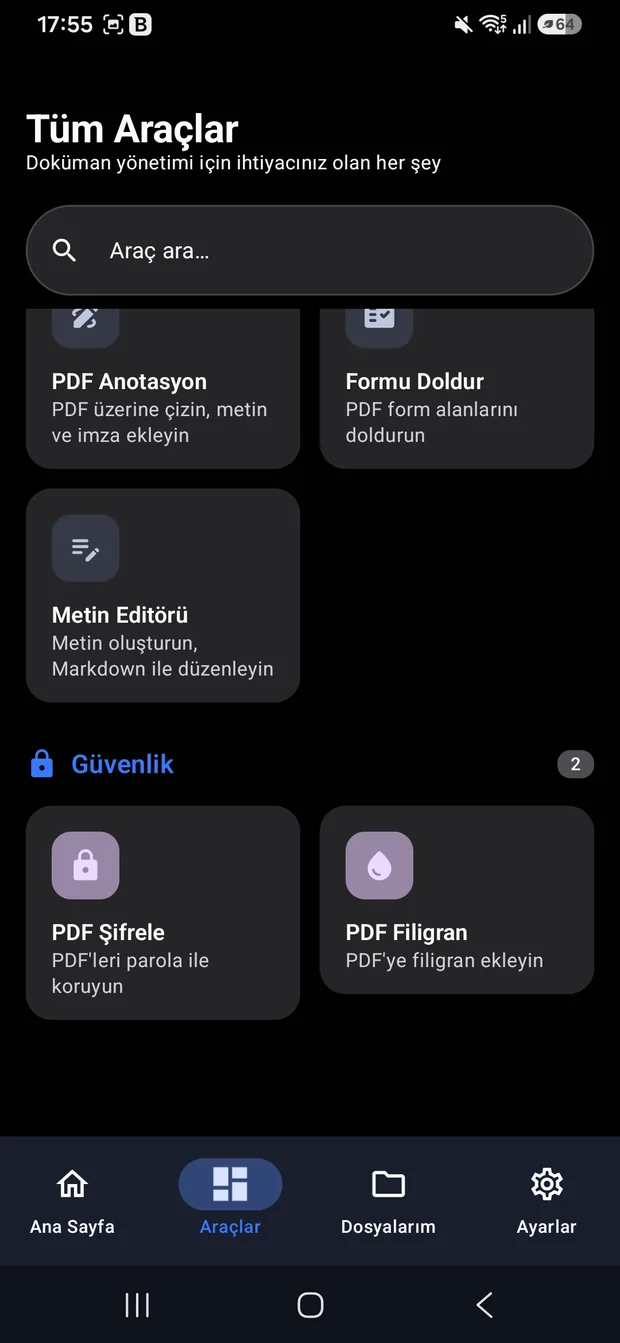
Sayı yuvarlanmış değil. Uygulamanın kendi kategori rozetleri topluyor: 5 + 5 + 5 + 3 + 2 + 1. The number isn't rounded. The app's own category badges add up: 5 + 5 + 5 + 3 + 2 + 1.
PDF işlemleriPDF operations
PDFBox-Android 2.0.27
Birleştirme, bölme, sıkıştırma, içerik düzenleme ve sayfa düzenleme. Uzun süren işler arka planda çalışıyor; uygulamayı kapatsanız da devam ediyorlar. Merge, split, compress, edit content and rearrange pages. Long jobs run in the background — they keep going even if you close the app.
DönüştürmeConversion
yedi arka plan işçisiseven background workers
Fotoğraftan PDF'e, PDF'ten fotoğrafa, dosya ve resim biçimleri arası dönüştürme, birden çok dosyayı tek PDF'te birleştirme. Photo to PDF, PDF to photo, conversion between file and image formats, and merging several files into one PDF.
TaramaScanning
ML Kit · CameraX 1.4.1
Belge tarama, kimlik kartı ve pasaport okuma, taranmış PDF'e arama yapılabilir metin katmanı ekleme ve görüntüden metin çıkarma. Document scanning, ID card and passport reading, adding a searchable text layer to scanned PDFs, and pulling text out of an image.
DüzenlemeMarkup
çizim · imza · formdrawing · signature · forms
PDF üzerine çizim, metin ve imza ekleme; PDF form alanlarını doldurma; Markdown destekli metin editörü. Draw on a PDF, add text and a signature, fill in PDF form fields, and a Markdown-capable text editor.
GüvenlikSecurity
BouncyCastle 1.78.1
PDF'i parolayla şifreleme ve filigran ekleme. Şifreleme kütüphanesi beş güvenlik açığı kapatan sürüme sabitlendi. Password-encrypt a PDF and add a watermark. The crypto library is pinned to a version that closes five known vulnerabilities.
OkumaReading
dokuz formatnine formats
Tek bir açma noktası; dosya türünü kendisi anlıyor ve doğru okuyucuya yönlendiriyor. Sistem dosya seçicisinden de paylaşım menüsünden de çağrılabiliyor. A single entry point that works out the file type and hands it to the right reader. It can be called from the system file picker or the share sheet.
Gitmeyen veri sızmazData that never leaves can't leak
Yükleme diye bir adım yokThere is no upload step
Kimlik kartınızı tarattığınızda görüntü telefonun dışına çıkmıyor. Tanıma da, PDF üretimi de aynı cihazda oluyor. When you scan your ID card the image never leaves the phone. Recognition and PDF generation both happen on the same device.
Analitik kütüphanesi yokNo analytics library
Bağımlılık listesinde reklam ağı, analitik ya da telemetri paketi bulunmuyor. Kaç kişinin hangi aracı açtığını ben de bilmiyorum. The dependency list contains no ad network, analytics or telemetry package. I don't know which tool anyone opens either.
Çökme raporu da yokNo crash reports either
Aynı karar bana da bir şey kaybettiriyor: bir kullanıcıda uygulama çökerse haberim olmuyor. Bunu bilerek kabul ettim. That same decision costs me something: if the app crashes for a user, I don't find out. I accepted that knowingly.
Seksen beş bin satırı elle yazmadımI didn't hand-write eighty-five thousand lines
Bunu saklamak yerine anlatıyorum, çünkü asıl iş kod yazmak değildi. I'd rather explain this than hide it, because writing the code was not the actual work.
Hattı kurdumI built the pipeline
Çok ajanlı bir geliştirme döngüsü tasarladım: analiz, çapraz denetim, paralel onarım, derleme, inceleme ve commit. Depoda bu döngünün betikleri ve yapılandırması duruyor; ilk commit'in mesajı doğrudan kurulum adımı. I designed a multi-agent development loop: analyse, cross-audit, repair in parallel, build, review, commit. The repository still holds the scripts and configuration for that loop; the very first commit message is the setup step.
Çıkanı denetledimI audited what came out
Üretilen kodu tek tek kabul etmedim; ajanları birbirine denetlettim. Geliştirme kaydında elli beş ajanlı bir denetim, on beş ajanlı bir performans taraması ve on ajanlı bir hata avı oturumu ayrıntısıyla yazılı. I didn't accept generated code as-is; I had agents audit each other. The development log records a fifty-five-agent audit, a fifteen-agent performance sweep and a ten-agent bug hunt.
Kendi test botumu yazdımI wrote my own test bot
Arayüzü kendi başına gezen bir Python botu yazdım; telefona bağlanıp ekranları dolaşıyor, açtığı her ekranın görüntüsünü kaydediyor. Yanına dokuz akışlık bir uçtan uca test paketi kurdum. I wrote a Python bot that explores the interface on its own: it connects to the phone, walks the screens and captures every one it opens. Alongside it I set up a nine-flow end-to-end suite.
Kararları ben verdimThe decisions were mine
Hangi kütüphanenin kullanılacağı, neyin sökülüp neyin sabitleneceği, neyin yarım bırakılacağı — bunların hiçbiri otomatik değildi. Kod üretmek kolay kısmıydı. Which library to use, what to rip out, what to pin, what to leave unfinished — none of that was automatic. Generating code was the easy part.
Çalışan PDF motorunu söküp attımI ripped out a working PDF engine
Proje ilk kurulduğunda PDF tarafı yaygın bir kütüphaneyle çalışıyordu ve sorunsuzdu. Sonra lisansını okudum: kodun kendisi serbest ama onu kullanan uygulamanın kaynağını da açmanızı şart koşuyordu. Ücretli sürümü var, ama bir öğrenci projesi için değil.
Uygulama kapalı kaynak olduğu için bu bir hukuki risk demekti. Çalışan hattı söküp PDF üretiminin tamamını Apache lisanslı başka bir kütüphaneye taşıdım — birleştirme, bölme, sıkıştırma, filigran, şifreleme, form alanları ve aranabilir PDF üretimi dâhil.
When the project was first set up, the PDF side ran on a widely used library and it worked fine. Then I read its licence: the code itself is free, but it requires you to open the source of any application that uses it. There is a paid edition — not for a student project.
Since the app is closed source, that was a legal risk. So I tore out a working pipeline and moved all PDF generation onto an Apache-licensed library instead — merging, splitting, compression, watermarking, encryption, form fields and searchable PDF output included.
Erken ödenen faturaPaying the bill early
Böyle bir bağımlılık ne kadar uzun kalırsa o kadar pahalıya çıkar. Bu yüzden proje hâlâ küçükken karar verdim. A dependency like this gets more expensive the longer it stays. So I made the call while the project was still small.
Artık kütüphane seçerken ilk baktığım şey lisansı. Now the licence is the first thing I check when picking a library.
Ölçülebilen kısmıThe part that can be counted
Değişmeyen söz, yükselen çıtaA promise that stays, a bar that rises
Kullanıcı verisi hiçbir sürümde toplanmayacakNo release will ever collect user data
Bu, sonradan eklenecek özellikleri de bağlıyor: bir işlev ancak kişisel veriye dokunarak çalışıyorsa yazılmıyor. That binds everything added later too: if a feature can only work by touching personal data, it doesn't get written.
Aynı masaya oturabilecek seviyeGood enough for the same table
Belge tarafında kıyas noktam Adobe ve Microsoft uygulamaları. OmniDoc'u o eşiğe getirmeye uğraşıyorum. Henüz varmadı; yön bu. On the document side, my reference point is Adobe's and Microsoft's apps. I'm working to get OmniDoc up to that level. It isn't there yet; that's the direction.
Ölçünün kaynağıThe source of the measure
Kullanım istatistiği olmadan ilerlemeyi uygulamanın kendisinden okumak gerekiyor. Bir üstteki liste bunun için var. Without usage statistics, progress has to be read off the app itself. That's what the list above is for.
Bu sayılar depodan geliyor. Those numbers come from the repository.
Oraya varmak kullanıcı verisi istiyorsa, vazgeçilecek olan bu kural değil. And if getting there would take user data, the rule isn't what gets dropped.
Telefonunuzda deneyinTry it on your phone
Hesap istemiyor, reklam göstermiyor ve hiçbir dosyanızı dışarı göndermiyor. No account, no ads, and none of your files go anywhere.
Google Play'de açOpen on Google Play